

How to Make Your Instagram Bio Stand Out Without Overdoing It
Learn how to make your Instagram bio stand out with simple wording, stylish fonts, and emojis without making it look cluttered.

Your Instagram bio gives people a quick idea of who you are and what they can expect from your profile. It can help you show your personality, explain what you do, or tell visitors what kind of content you share.
However, adding too many emojis, symbols, and decorative fonts can make your bio look cluttered.
The goal is to make your bio interesting while keeping it simple and easy to read. A few small changes to your wording and layout can help your profile stand out without making it look overdone.
Keep Your Bio Short and Clear
Your Instagram bio does not need to explain everything about you. Focus on the details that matter most to your profile. If you share gaming content, for example, mention gaming instead of adding several unrelated interests.
Use simple words that visitors can understand quickly. Remove unnecessary phrases and repeated information to make the bio easier to read.
Show Your Personality
Your bio should give people a small idea of your personality. You can do this with a short phrase, a hobby, or a little humor. Choose something that feels natural instead of copying a popular bio just because it looks good.
For example, a person who enjoys reading might write, "Usually reading one more chapter." This adds a personal touch without making the bio too long.
Choose Words That Describe You
Use words that explain who you are, what you do, or what your account is about. If you create travel videos, share recipes, or discuss technology, mention that in your bio.
Specific descriptions are often more useful than general phrases. For example, "Sharing easy recipes for busy days" tells visitors more than "Food lover." Keep your wording natural and avoid adding too many keywords.
Use Emojis in Moderation
Emojis can add personality and help separate different details in your bio. You can use a camera emoji for photography, a book for reading, or a location pin to highlight where you are based.
However, you do not need an emoji in every line. Choose a few that match your profile and leave enough space for the actual text. This keeps your bio interesting without making it difficult to read.
Organize Your Bio for Easy Reading
A clean layout helps visitors find important information quickly. Instead of putting everything into one long sentence, separate different details into short lines.
For example:
- Digital creator
- Sharing simple tech tips
- New posts every week
Place the most important information first. Also, avoid excessive punctuation, repeated symbols, and unnecessary line breaks that make the bio look crowded.
Try Stylish Fonts Without Sacrificing Readability
Stylish fonts can help a name or short phrase stand out in your Instagram bio. You can use them for a nickname, a small heading, or a few words you want visitors to notice.
If you want ready-made text styles, you can use Instagram Font Generator. It converts regular text into different decorative Unicode styles that you can copy and paste into your bio.
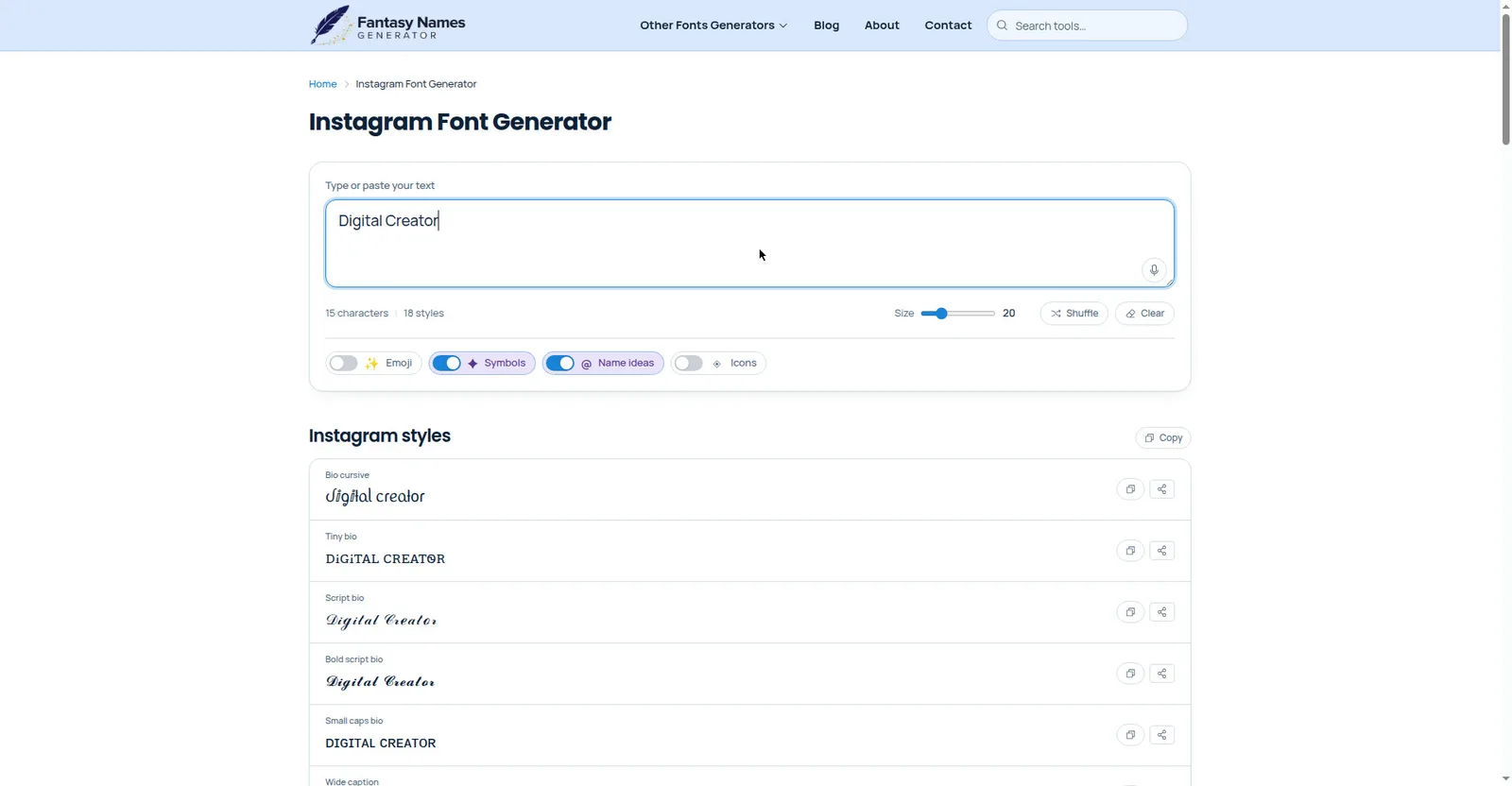
Here is how to use one:
- Open Instagram Font Generator.
- Enter the text you want to style.
- Browse the available font styles.
- Copy the version you like.
- Open your Instagram profile, edit your bio, and paste the text.
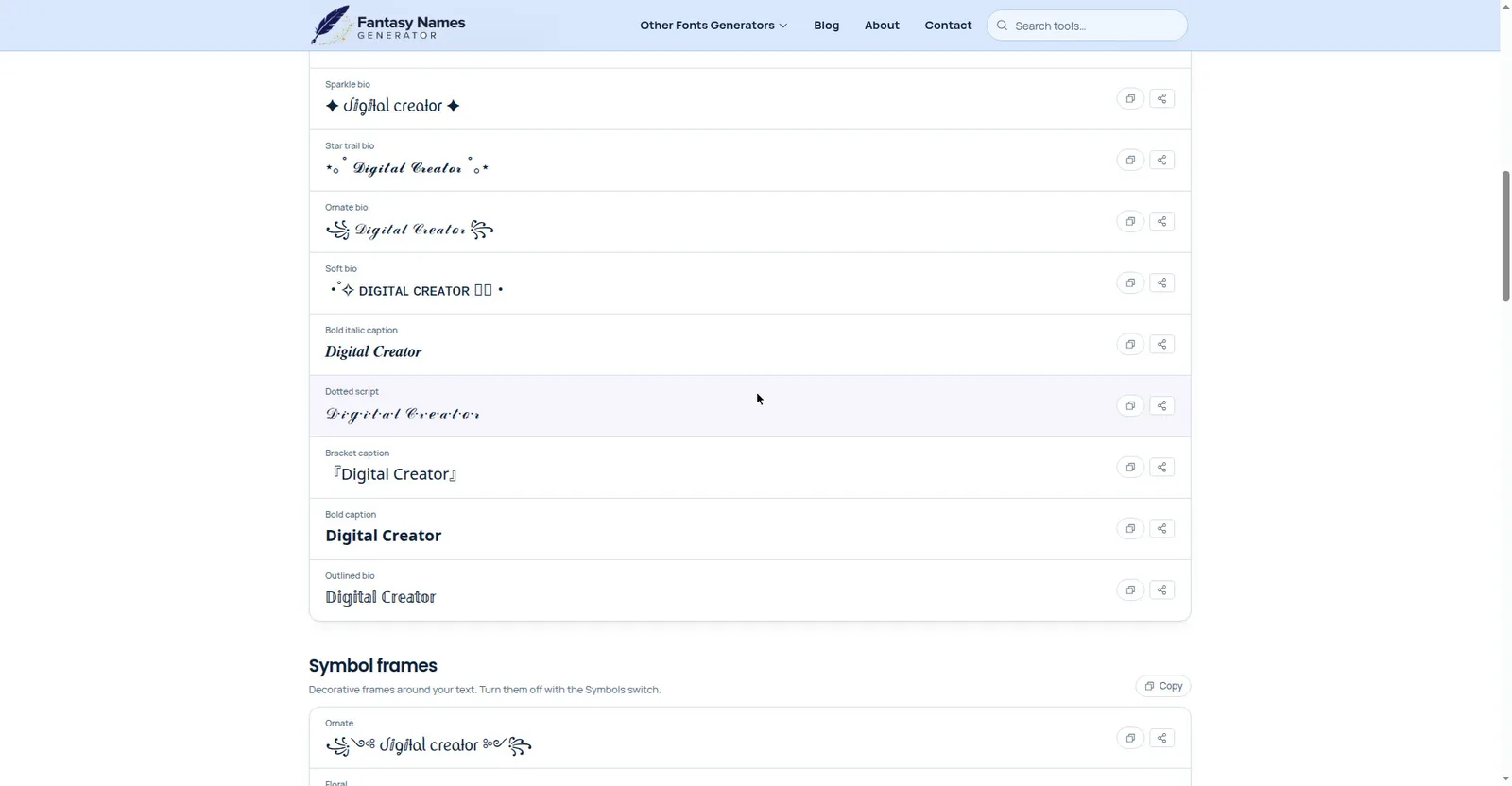
Try to use decorative text for only one or two parts of your bio. Keeping the rest in a regular font makes the whole profile easier to read.
Also, some special characters may display differently across devices or be difficult for screen readers to interpret.
Add a Clear Call to Action
If you want visitors to take a specific action, include a short call to action in your bio. This could encourage them to check your latest videos, visit your website, or contact you for business inquiries.
For example, a creator might write, "Watch my latest tutorials below." A small business could use "Browse the latest collection." Choose one clear request instead of asking visitors to do several things at once.
Use a Link That Matches Your Profile
If you have a website, portfolio, online store, or useful page, consider adding its link to your Instagram profile. Make sure it relates to the information in your bio and gives visitors a reason to click.
For example, a photographer can link to a portfolio, while a business owner can direct visitors to a product page. Avoid adding unrelated links that do not serve your audience.
Avoid Common Instagram Bio Mistakes
Even a good bio can lose its appeal when it contains too many unnecessary details. Watch out for these common mistakes:
- Using too many emojis or decorative symbols.
- Mixing several stylish fonts in a few lines.
- Adding a long quote that takes up most of the available space.
- Using vague phrases that do not explain your profile.
- Copying trends that do not match your personality.
- Including too much information in a small space.
Review your bio after making changes. Remove anything that does not help visitors understand your profile or make it more personal.
Final Words
Making your Instagram bio stand out does not require excessive emojis, fancy fonts, or long descriptions. Focus on clear wording, a personal touch, and a layout that visitors can read easily.
You can also use a few stylish characters to highlight important details without distracting from the rest of your bio. Try different versions, remove anything unnecessary, and check how your bio looks on your phone before settling on the final version.