

Why Do Some Discord Text Styles Work and Others Don't?
Learn why fancy fonts appear as boxes on some devices and how to fix Unicode, font compatibility, and display issues.

Have you ever copied fancy text from a font generator, only to see empty boxes instead of stylish letters? This can happen when you share decorative text across different devices, apps, or websites.
The problem usually has something to do with Unicode support, installed fonts, or software compatibility. Even if the text looks perfectly fine on your screen, another device may not recognize some of its characters.
Missing Unicode Support
Fancy fonts often use special Unicode characters instead of regular letters. Unicode is a standard that assigns a unique code to characters, symbols, and letters so different devices and applications can recognize them.
However, not every device supports every Unicode character. If a device does not recognize a particular character, it may display an empty box, rectangle, or question mark instead.
For example, you might copy a fancy letter from a bubble text generator and paste it into a social media bio. It may look normal on your phone but appear as a box when someone views your profile on an older device.
Font Compatibility
Even when a device supports Unicode, its installed fonts may not contain all the characters used in fancy text.
A font needs a matching character design, called a glyph, to display a Unicode character correctly. If the selected font does not have that glyph, the device may use another available font as a fallback.
If no suitable font is available, the character may appear as an empty box.
This is why some decorative letters and symbols display correctly while others do not. Different fonts have different character collections, so compatibility can vary depending on the text you use.
Outdated Software
Older operating systems, browsers, and applications may not support newer Unicode characters.
Unicode continues to receive updates that add new characters and symbols. However, older software may not recognize these additions because it does not have the necessary character information or font support.
For example, a fancy text style using recently added Unicode symbols might work on a newer Android or iOS version but appear as boxes on an older phone.
Updating your operating system and applications can help improve compatibility with newer characters.
Browser Limitations
Your browser also plays a role in how fancy fonts appear. Different browsers use different font-rendering systems and may handle special Unicode characters differently.
Some browsers may have better support for certain character sets than others. They may also use different fallback fonts when the original character is unavailable.
As a result, fancy text might display correctly in Chrome but show boxes in another browser. This can also happen when viewing the same website on different devices.
Platform Restrictions
Some websites and applications handle decorative text differently. A platform may support certain Unicode characters but restrict or fail to display others in specific areas.
For example, a fancy font might work in an Instagram bio but not in a username or comment field. Some platforms may also remove unsupported characters or replace them with other symbols.
These differences depend on how each platform handles text input, storage, and display. Therefore, a fancy font that works on one website may not look the same on another.
Why Does the Same Fancy Text Work on One Device but Not Another?
The main reason is that devices do not all have the same software, fonts, or Unicode support.
For example, imagine copying a decorative text style from your computer and sharing it with someone who uses an older smartphone. Your computer may have the necessary characters and font support to display the text correctly, while their phone may not.
The same differences can occur between Android, iOS, Windows, and macOS devices.
Even two devices running the same operating system can display fancy text differently because of their software versions, installed fonts, and applications.
This means the problem is not necessarily with the fancy text itself. It may simply be that the receiving device cannot display some of its characters.
How to Fix Fancy Fonts Showing as Boxes?
If your fancy text appears as empty boxes, try these simple fixes:
- Update Your Device: Install available operating system updates to improve Unicode and character support.
- Update Your Browser or App: Newer versions may include better support for special characters.
- Try Another Browser: Open the same text in a different browser to check whether the issue is related to rendering.
- Choose Another Font Style: Some fancy fonts use characters that are more widely supported than others.
- Avoid Unsupported Symbols: Remove decorative symbols or unusual characters that may not display correctly.
- Test on Other Devices: Check how your text appears on different phones and computers before sharing it.
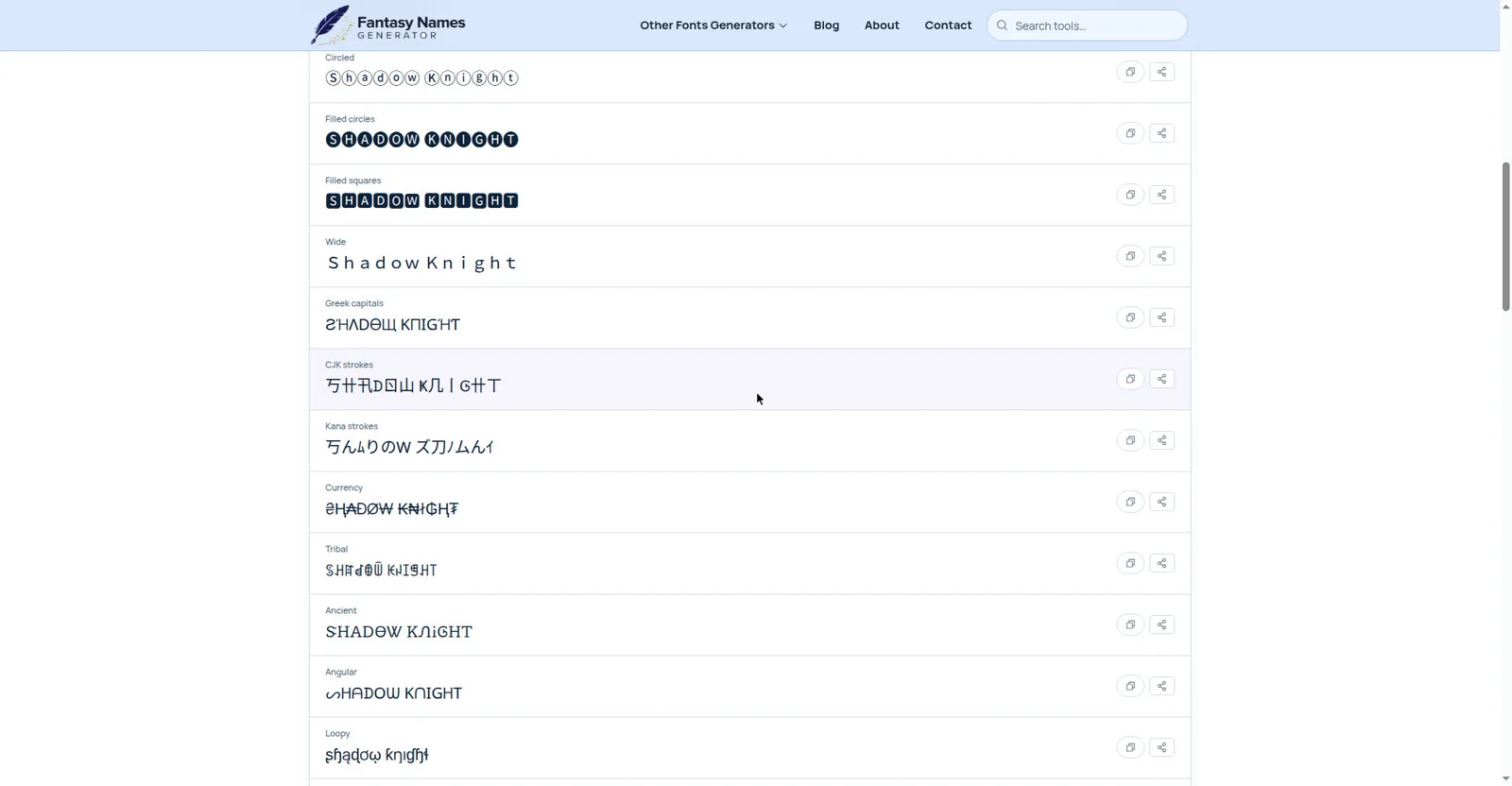
Generate Fancy Fonts that Work on Most Devices
If you frequently use fancy text for social media bios, usernames, captions, or messages, choosing widely supported characters can help prevent display problems.
You can use Fancy Fonts Generator to convert regular text into different decorative styles. Simply follow these steps:
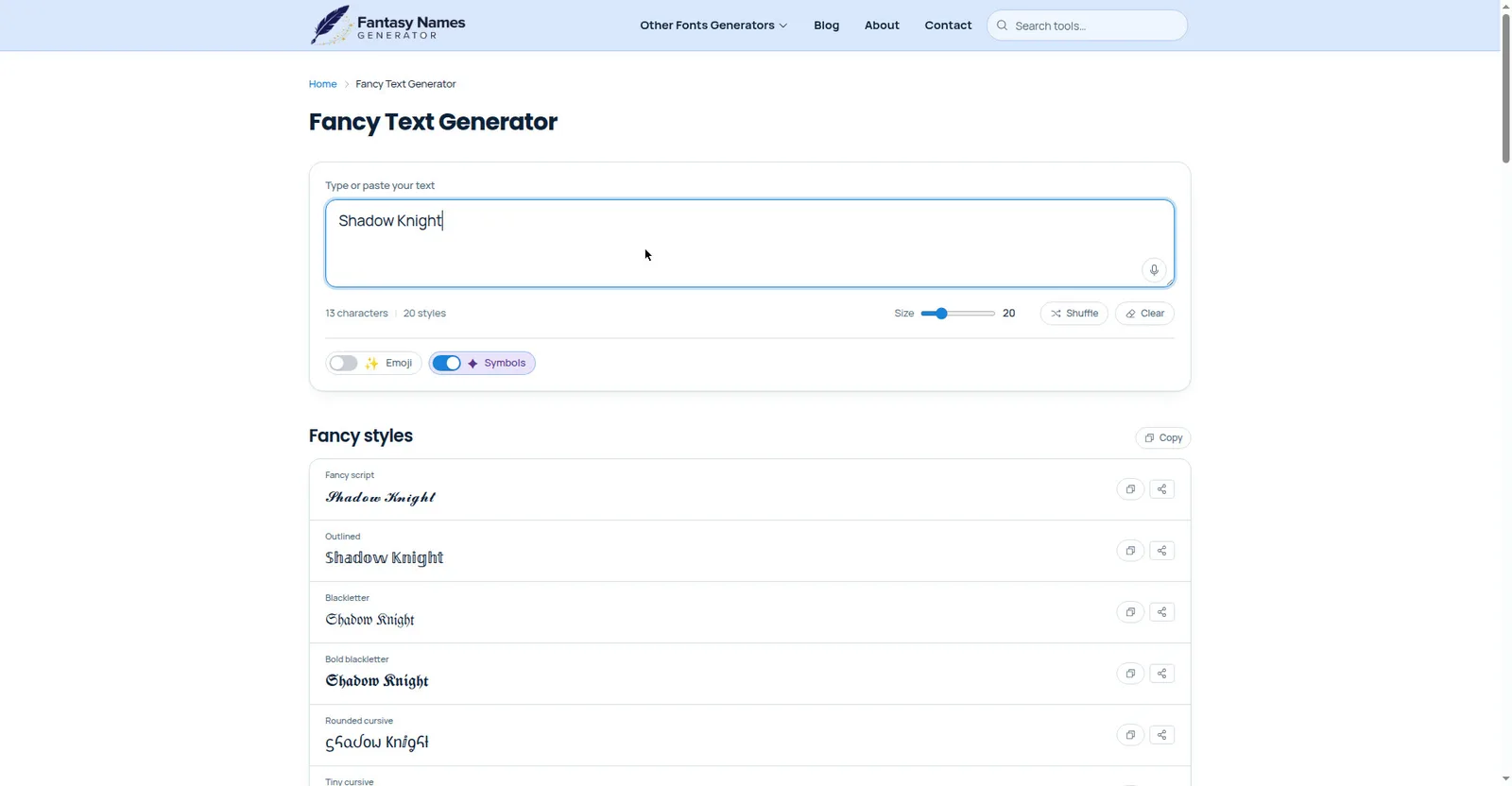
- Open Fancy Fonts Generator.
- Enter your regular text in the input box.
- Browse the available fancy font styles.
- Choose a style that suits your needs.
- Copy the generated text and paste it wherever you want.
Keep in mind that no fancy font generator can guarantee compatibility with every device or platform. Always test your chosen style before using it in important places.
Final Words
Fancy fonts usually appear as boxes when a device or application cannot recognize or display certain Unicode characters. Missing font glyphs, outdated software, browser differences, and platform restrictions can all cause this problem.
To avoid it, choose simpler and widely supported character styles, keep your software updated, and test your text on different devices before sharing it.